A case study on designing an AI-powered inventory dashboard focused on real-time insights, automation, and operational clarity.
AI Inventory Management Dashboard
This project is an intelligent Inventory Management System designed to streamline stock tracking, automate reorder alerts, and optimize warehouse operations.
This project is an intelligent Inventory Management System designed to streamline stock tracking, automate reorder alerts, and optimize warehouse operations. Leveraging AI-powered analytics, the system can predict inventory trends, detect anomalies, and provide actionable insights to minimize overstocking or stockouts. Users can manage products, monitor real-time stock levels, and generate detailed reports, while the AI assistant offers recommendations for inventory optimization and demand forecasting.
Designed & built by Nathan Otim
This project was built to explore how AI can assist inventory decisions without replacing human control, while maintaining performance and scalability.
Problem
Manual inventory tracking
No real-time visibility
Poor decision support
No predictive or analytical insights
Many businesses rely on spreadsheets or fragmented tools, leading to delayed responses and inefficient resource allocation.
Many businesses continue to rely on spreadsheets or fragmented, disconnected tools to manage critical operations. While familiar and inexpensive, these systems lack real-time visibility, create data silos, and require significant manual effort to maintain. As teams grow and processes become more complex, information becomes inconsistent, errors increase, and decision-making slows. This fragmentation ultimately leads to delayed responses to changing conditions, poor cross-team coordination, and inefficient allocation of time, budget, and human resources—limiting a company’s ability to scale and operate effectively.
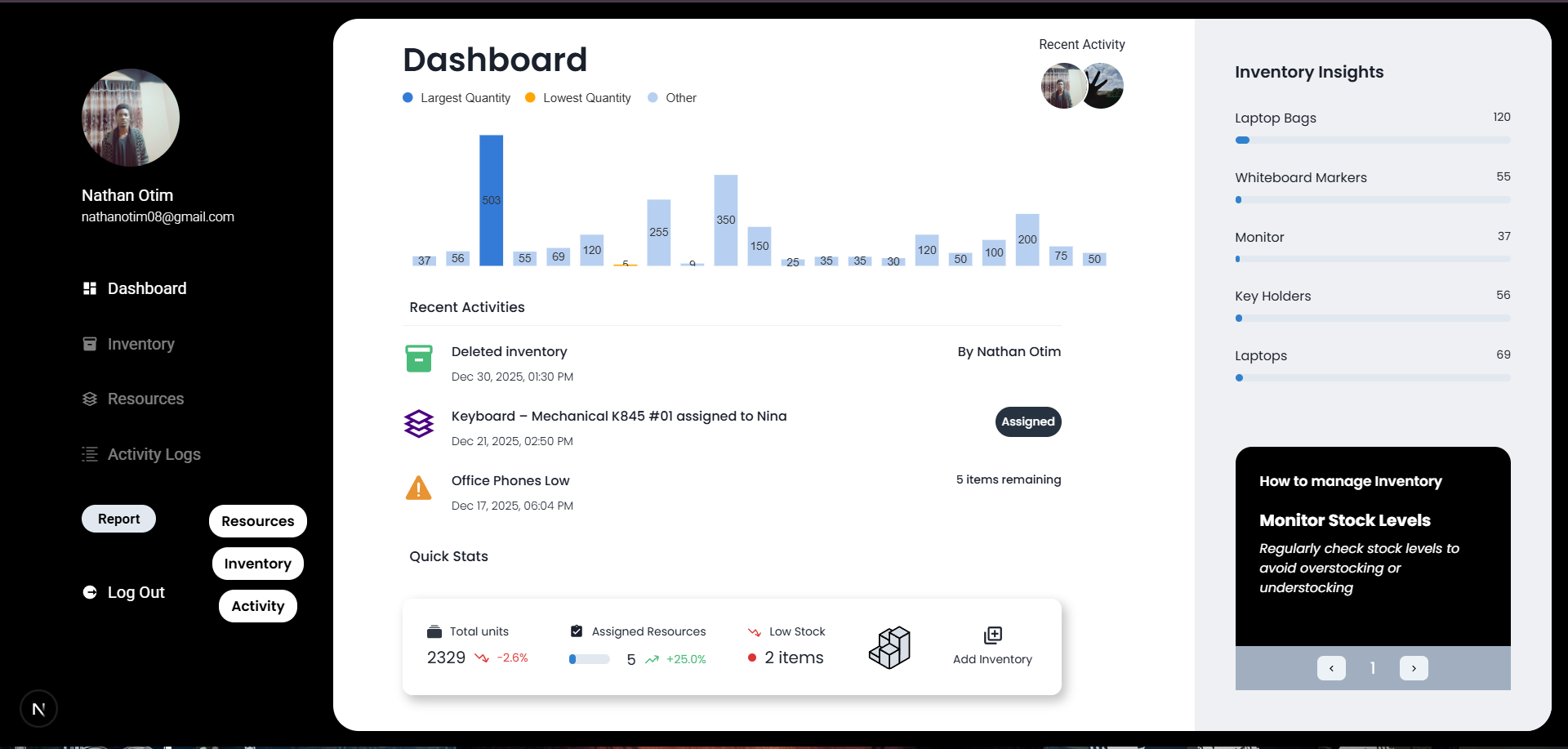
Overview of Dashboard
Solution
A centralized dashboard that combines real-time inventory data with AI-generated insights to support faster and smarter decisions.
In developing the system, the focus was not on automation for its own sake, but on thoughtfully reducing cognitive load across everyday workflows.
In developing the system, the focus was not on automation for its own sake, but on thoughtfully reducing cognitive load across everyday workflows. Rather than overwhelming users with features or alerts, the design prioritized surfacing the right information at the right time—contextual, relevant, and actionable. By emphasizing clarity over complexity, the system aims to deliver meaningful assistance that supports human judgment, minimize friction, and enable people to work faster, smarter, and with greater confidence as processes grow more complex, teams scale and so does the inventories and resources..
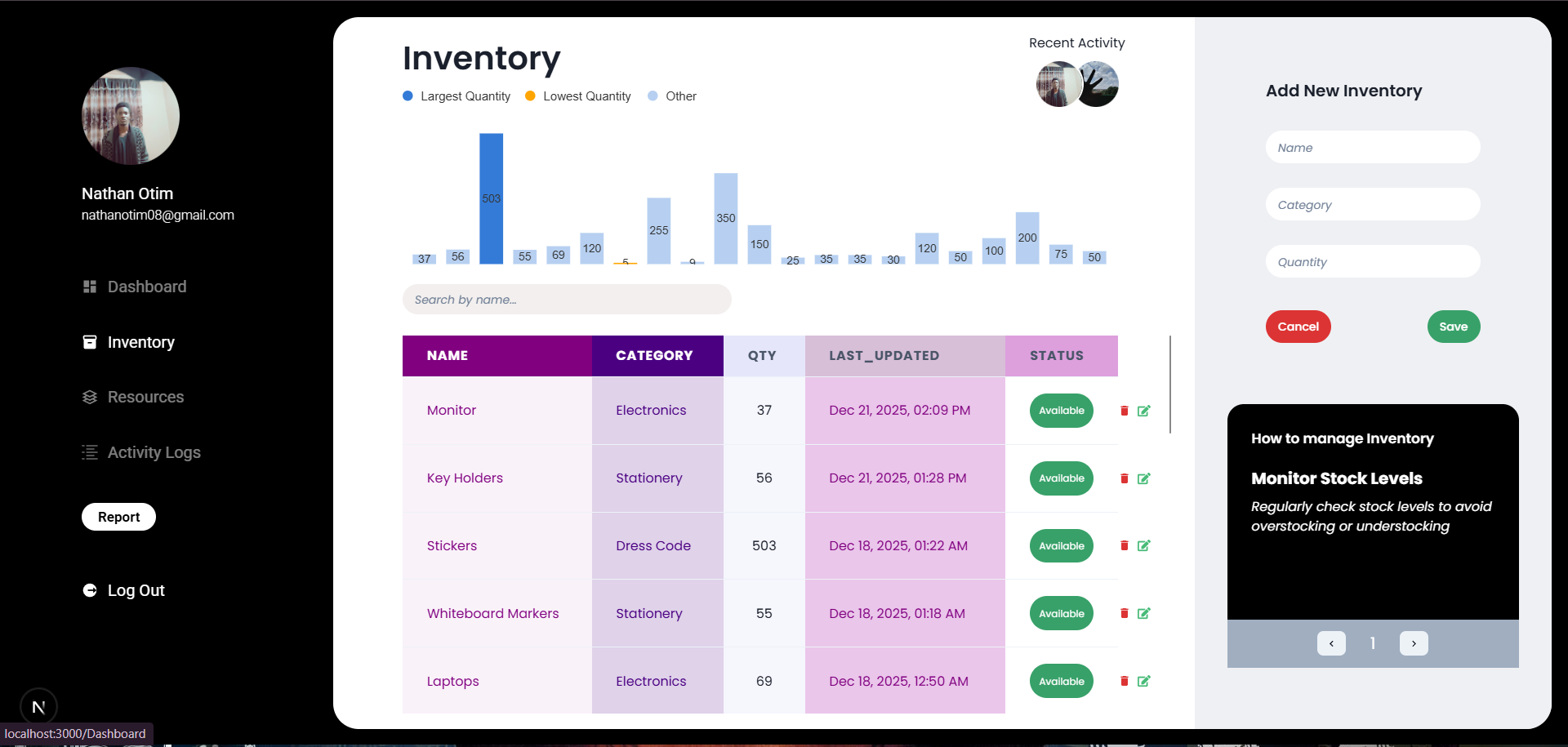
Overview of Inventory
SystemArchitecture
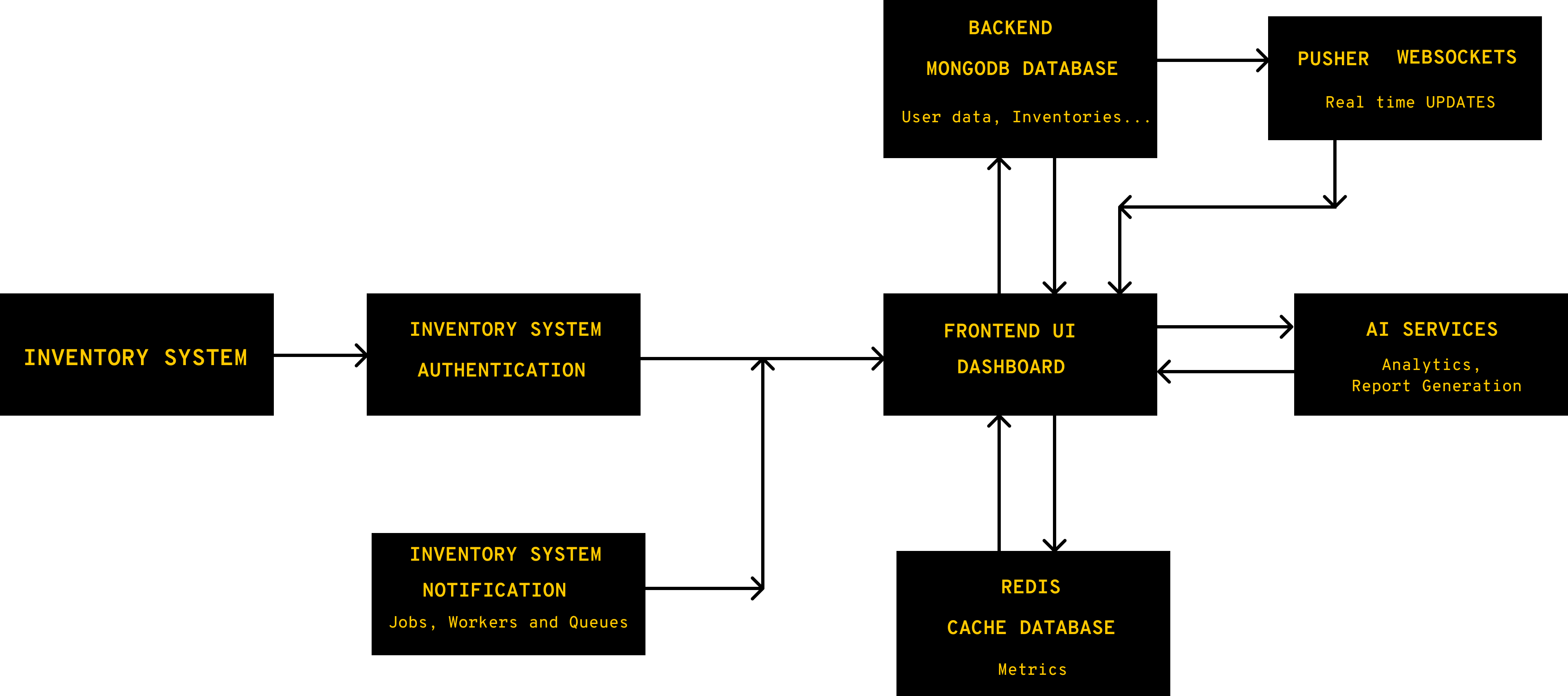
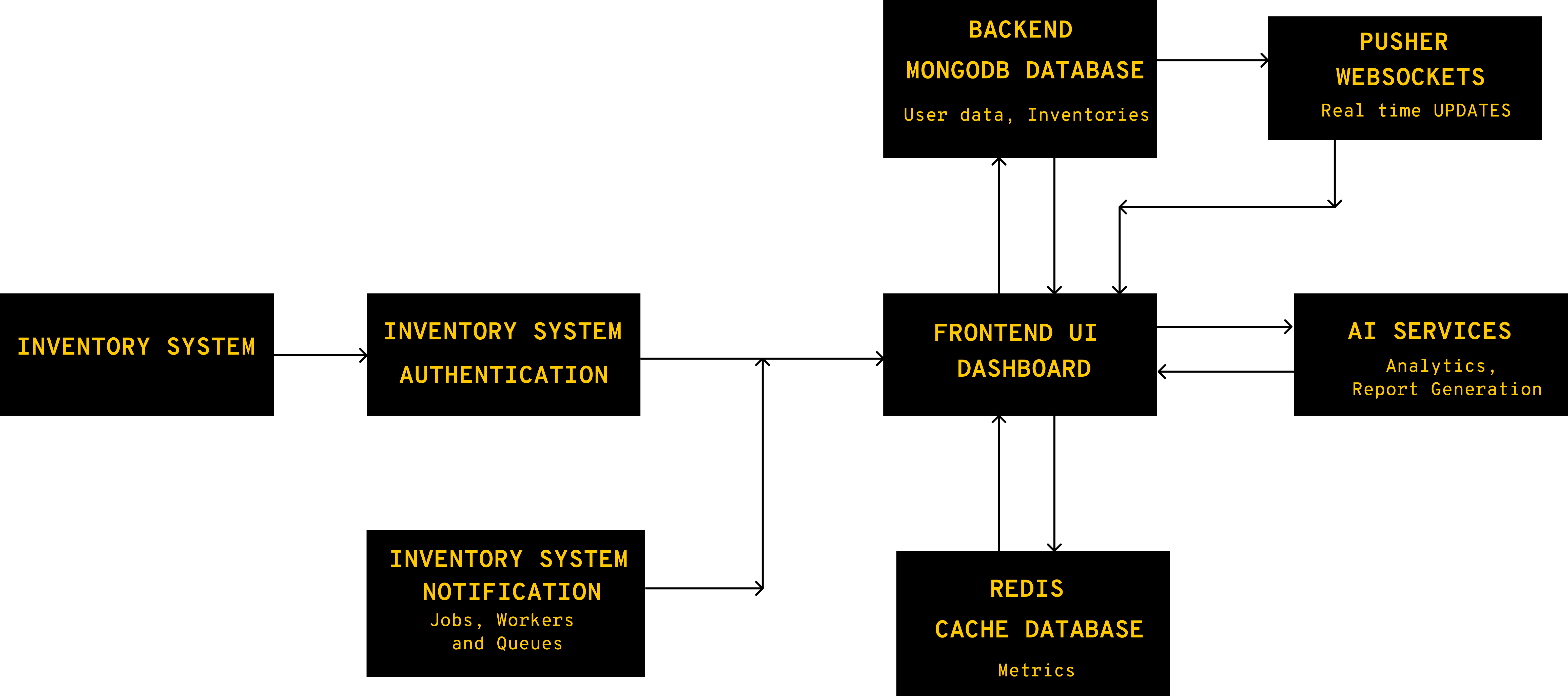
System Architecture
The system is designed for scalability, real-time visibility, and secure operations. Inventory changes are immediately propagated through Pusher, ensuring that all connected clients receive updates in real time without manual refreshes.
AI services continuously analyze incoming data streams to identify trends and generate actionable insights for decision-makers, supporting proactive operational decisions.
The system is designed for scalability, real-time visibility, and secure operations. Inventory changes are immediately propagated through Pusher, ensuring that all connected clients receive updates in real time without manual refreshes. Behind the scenes, job queues handle asynchronous tasks such as email notifications, report generation, and background data processing, ensuring that high-volume operations do not block the main workflow and can scale independently. AI services continuously analyze incoming data streams to identify trends and generate actionable insights for decision-makers, supporting proactive operational decisions. Authentication and authorization are managed via OAuth, providing a secure, token-based approach that limits access to authorized users and integrates with existing identity providers. This combination of real-time messaging, queued processing, AI-driven analytics, and secure access ensures that the system can grow with user demand while maintaining performance, reliability, and data integrity.
Core Features
Inventory tracking & status
Allocation monitoring
Variation & performance metrics
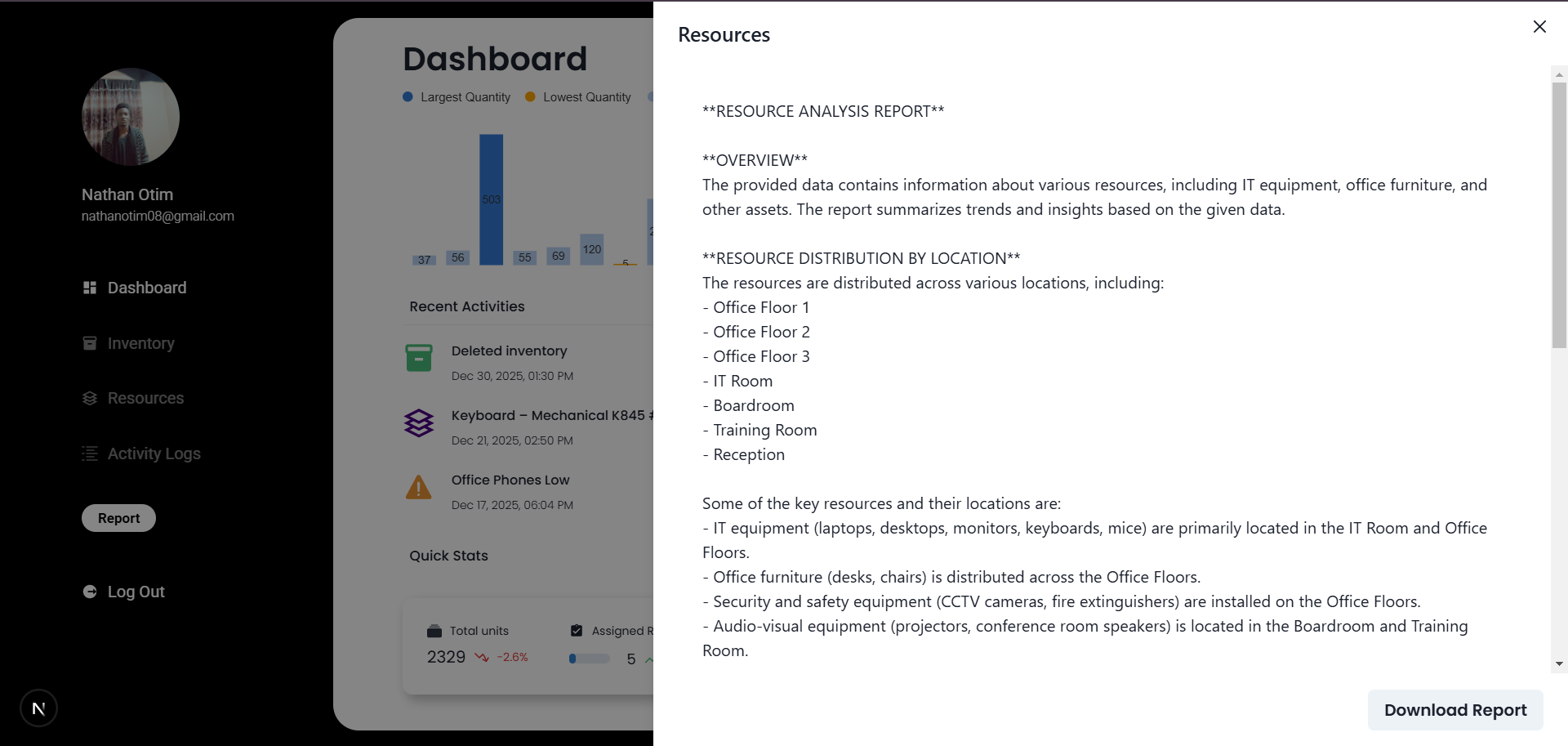
AI-generated tips & reports
AI is intentionally positioned as a decision-support layer, not a replacement for core business logic or deterministic system behavior. The current implementation uses Groq-hosted models, which offer fast inference and a simpler operational setup, albeit with lower reasoning depth compared to more advanced models such as OpenAI.
AI is intentionally positioned as a decision-support layer, not a replacement for core business logic or deterministic system behavior. The current implementation uses Groq-hosted models, which offer fast inference and a simpler operational setup, albeit with lower reasoning depth compared to more advanced models such as OpenAI. This choice prioritizes performance, cost control, and architectural simplicity during early stages. The system is designed to remain model-agnostic, allowing OpenAI or other higher-capability models to be integrated with minimal changes when greater reasoning or contextual depth is required. At present, AI is primarily applied to analytics and report generation, where it excels at synthesizing large volumes of operational data, identifying patterns, and translating insights into human-readable summaries for decision-makers. These outputs complement existing metrics and dashboards rather than overriding them. As the platform evolves, additional AI-driven capabilities will be incrementally introduced, guided by clear value, reliability, and alignment with human oversight.
Overview A.I Report.
Current A.I model used is Groq, better models can be used.
Explore the Project
This project is actively evolving with future plans for forecasting and alert-based intelligence.
;
This project demonstrates how AI-assisted reporting, real-time updates, and thoughtful UX decisions can dramatically improve operational efficiency for growing teams.
AI Portfolio ChatBot
This case study explores the design and implementation of an AI-powered portfolio chatbot built to enhance user engagement through conversation.
CASE STUDY · AI INTERFACE
AI Portfolio Assistant
An interactive AI-powered chatbot that helps visitors understand my skills, projects, and experience through natural conversation instead of static pages.
• Real-time streamed responses
• Context-aware portfolio prompting
• Conversational UX over traditional navigation
Role: Full Stack · Next.js · AI SDK · Prompt Design
How It Works
Messages are streamed in real-time using an AI SDK. User input is processed through structured prompting, allowing the assistant to respond contextually based on my profile and projects.
Why This Matters
People prefer interaction over scrolling. This chatbot reduces friction, personalizes discovery, and showcases real-world AI implementation rather than theoretical knowledge.
Feedback collected from user interactions can inform improvements, making the portfolio adaptive and self-optimizing.
• Encourages deeper exploration of projects
• Highlights technical and design skills simultaneously
• Makes portfolio uniquely interactive
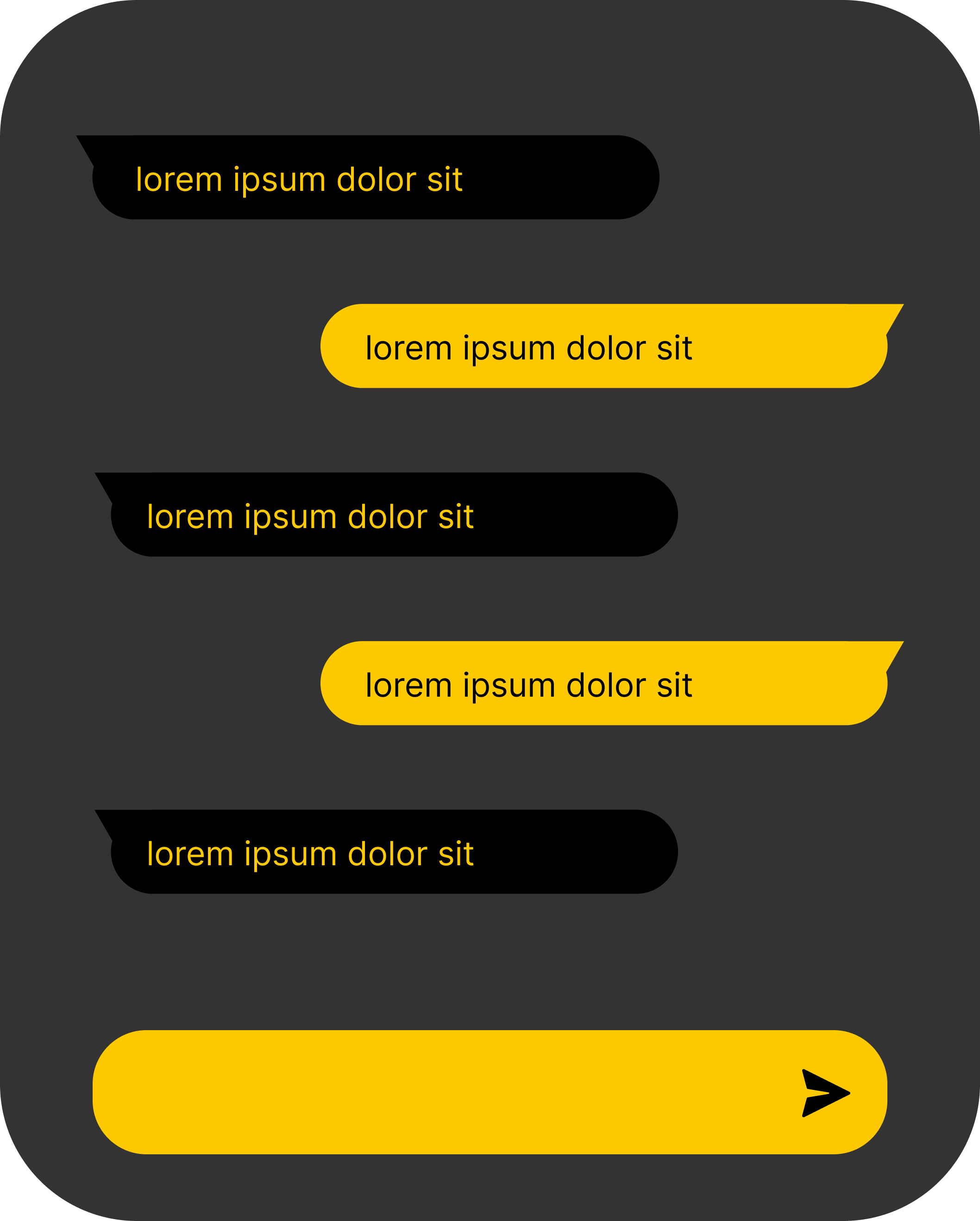
Visual Snippet of the ChatBot
The project demonstrates real-world AI integration, streaming UX, and thoughtful prompting strategies.
Recipe Finder Application
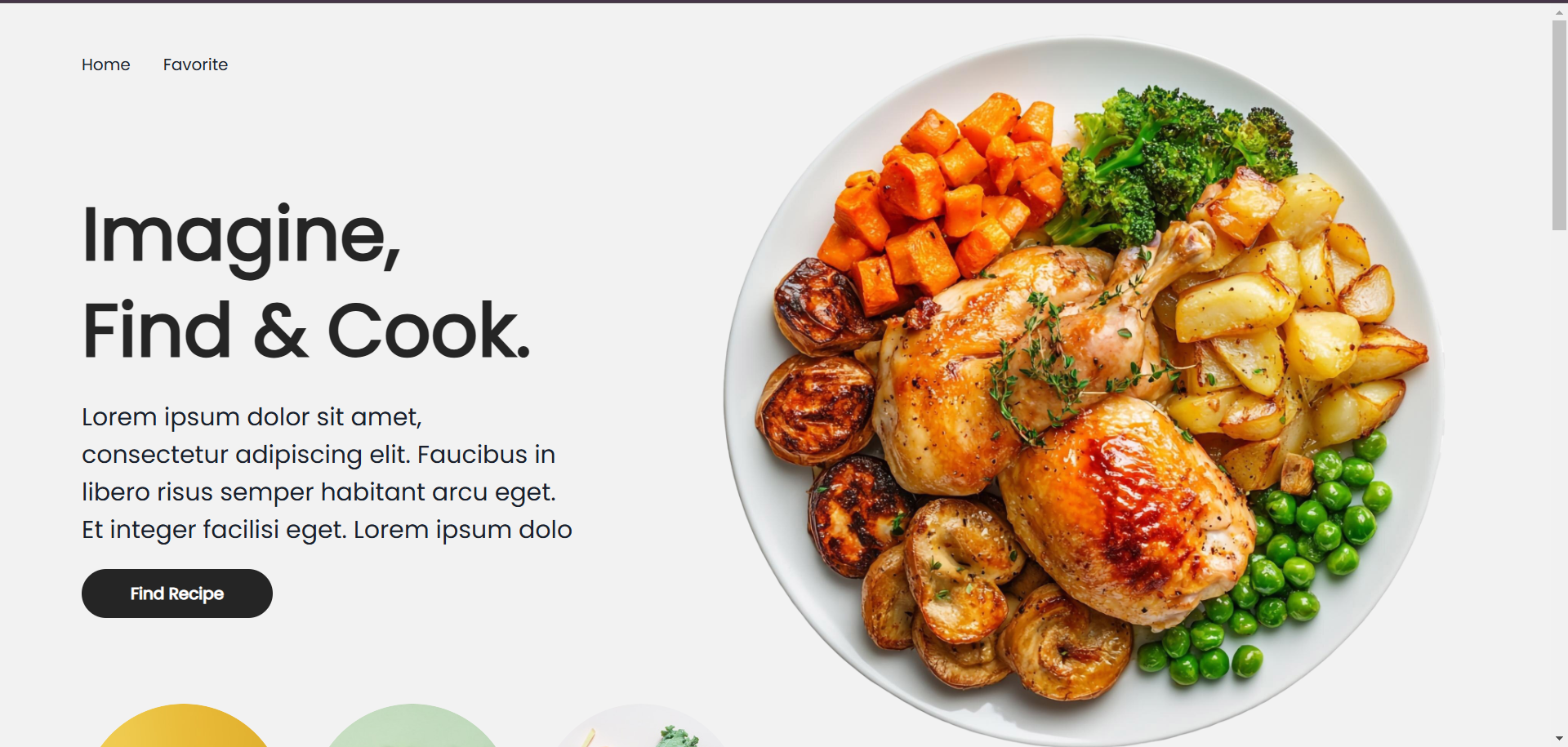
A case study on designing a recipe finder application focused on usability, efficient search, and making everyday cooking simpler and more enjoyable.
Project Description
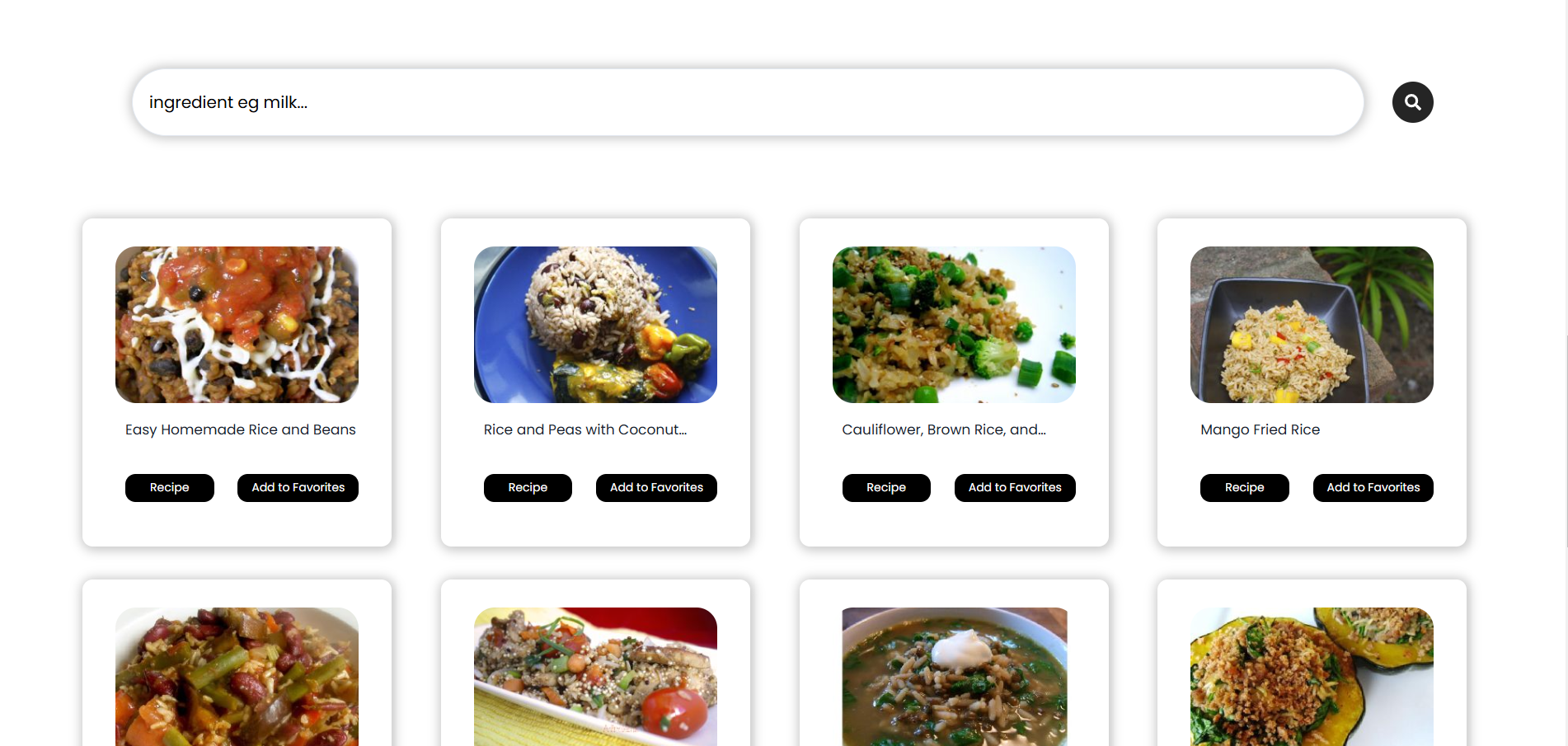
The Recipe Finder application is a user-focused web application designed to simplify the process of discovering new meals without the stress of extensive planning or decision fatigue. Instead of spending time thinking about what to cook, users can quickly find relevant recipes by entering the ingredients they already have available. At the core of the application is an external recipe API, which dynamically fetches recipe data based on the user’s ingredient-based search input.
This approach ensures that results are relevant, up-to-date, and diverse, while keeping the application lightweight and responsive. Search results present essential information such as recipe names, images, and basic cooking details, allowing users to make quick, informed choices.
To enhance personalization, the application includes a favorites system that allows users to add or remove recipes with ease. This feature enables users to build a curated collection of preferred meals, making it simple to revisit recipes they enjoy without repeating searches. Favorites are managed seamlessly within the interface, reinforcing a smooth and intuitive user experience.
The application is fully built using React.js for component-based structure and state management, paired with Chakra UI for consistent styling, accessibility, and responsive design. Chakra’s design system allows the interface to remain clean, modern, and adaptable across devices, while reducing visual clutter and cognitive load.The overall design philosophy emphasizes simplicity, clarity, and ease of use—helping users focus on cooking rather than navigating complex interfaces.
Future Vision
Future iterations aim to introduce cooking groups, where users can connect with others, share experiences, and gain insights from professional chefs within a collaborative environment. This social layer would transform the application from a solo utility into a shared learning platform. Additionally, an AI-powered system is planned to further enhance the experience. This system would analyze user preferences, favorite recipes, and cooking habits to help generate a personalized, simplified digital cookbook. By combining community-driven insights with intelligent automation, the application aims to evolve into a comprehensive cooking companion that supports users from inspiration to execution.